Application Framework Walkthrough
Every configuration question — options, implications, and what to choose for FictoCorp
Module 2Configuration Workshop45 min
Top-Level Configuration Questions
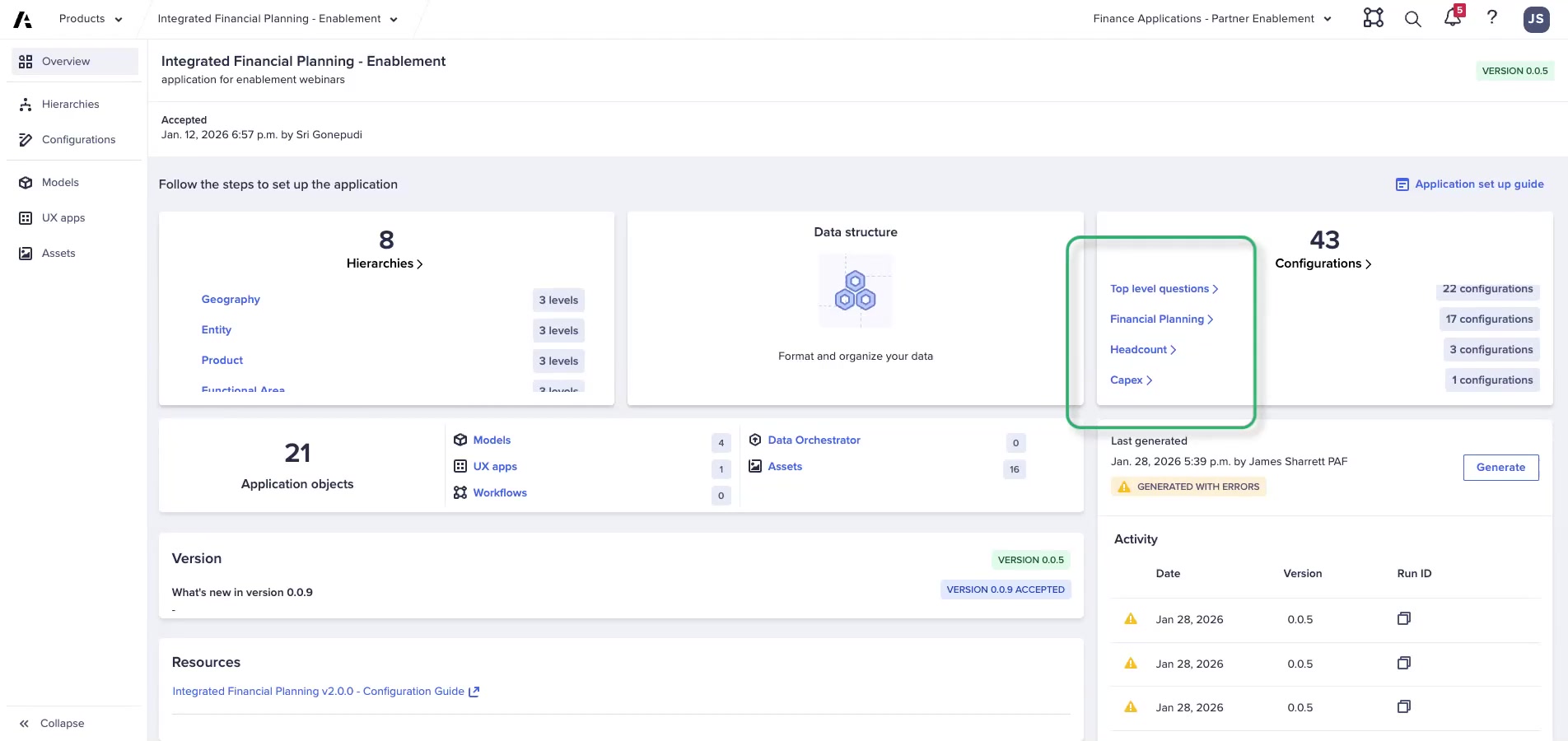
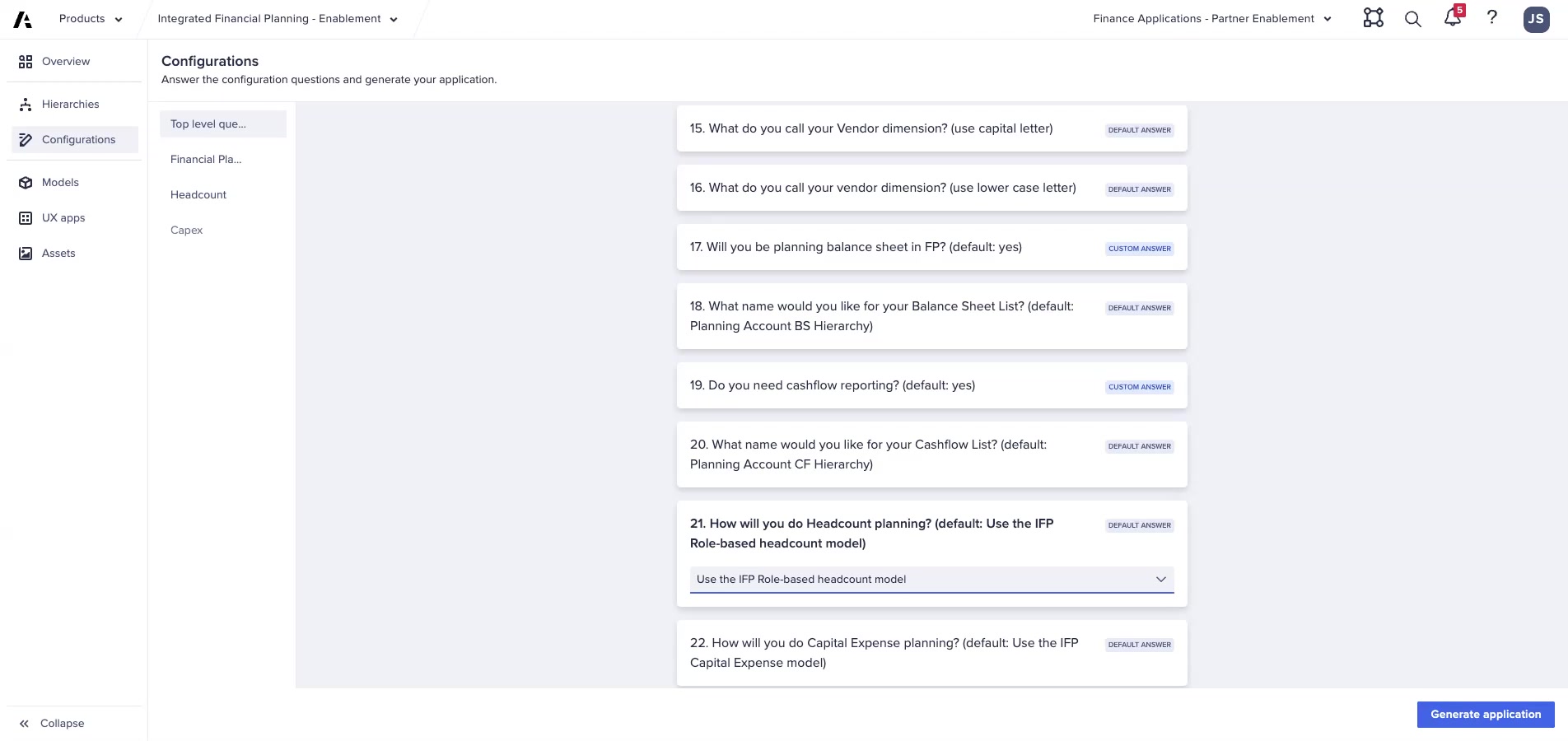
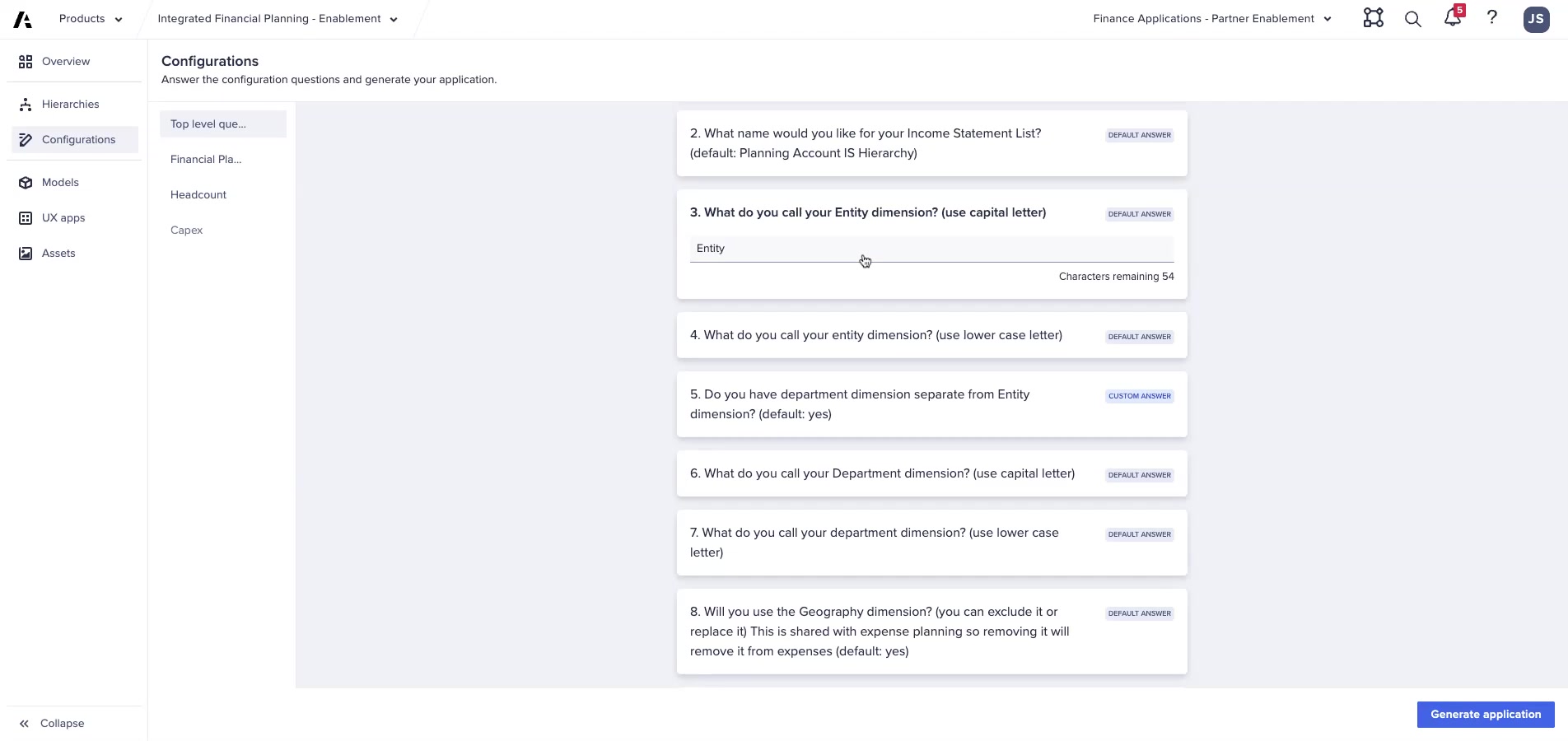
These questions define the foundational structure applied across all 4 models.
Entity Dimension
| Setting | Details |
|---|---|
| What it is | Mandatory — your primary organizational hierarchy (e.g., Business Unit, Company, Legal Entity) |
| What to configure | Name (capital + lowercase versions) + number of levels in hierarchy screen |
| Impact | Used in Admin, FP, HC, CE — core dimension for all aggregation and reporting |
⚠ Critical Naming Rule
Use the EXACT same name in both the question response and the hierarchy rename. A mismatch causes modules and line items to not be renamed correctly throughout the model.
Department Dimension
| Option | Implication |
|---|---|
| Yes — include | Separate dept hierarchy created in all models; enables 2D planning (entity × dept); increases model size |
| No — exclude | Simpler model; planning only by Entity; choose for simple or small implementations |
Optional Dimensions
| Dimension | Used In | Include? | Exclude? |
|---|---|---|---|
| Geography | Revenue/COGS, OpEx, Top-Down | Multi-dimensional planning; more complexity | Simpler model; less dimensional granularity |
| Functional Area | OpEx | Enables expense tracking by function | OpEx by dept only |
| Vendor | OpEx | Enables vendor-level expense tracking | No vendor dimension in OpEx |
⚠ Removing Dimensions Later Is Painful
Removing a dimension after generation affects ALL areas of the model that use it. Make dimension decisions upfront — changing them later requires re-generation and re-doing all post-gen work.
Headcount Planning Approach
| Option | What Gets Deployed | When to Choose |
|---|---|---|
| Option A: IFP Role-Based HC Model | FP + HC models active; job-level HC costs flow into FP | Default for most implementations — best practice |
| Option B: GL-Level Planning in FP | FP + HC generated; HC deleted after; HC expenses entered at GL level in FP | Simpler — for customers who don't need job-level detail |
| Option C: External Model → Load to FP | FP + HC generated; HC deleted; summarized HC loaded from OWP or external | When OWP or another model is the HC system of record |
Multi-Currency
| Option | Implication |
|---|---|
| Yes | Reporting Currency dimension added; FX rates required; triangulation enabled |
| No | Single currency; simpler but not suitable for international organizations |
Balance Sheet & Cash Flow
| Setting | Options |
|---|---|
| Balance Sheet in FP? | Yes = Admin + FP include BS accounts and logic / No = P&L only |
| Cash Flow Reporting? | Yes = indirect cash flow statement generated / No = CF excluded |
CapEx Planning Approach
| Option | What Gets Deployed | When to Choose |
|---|---|---|
| Option A: IFP CapEx Model | FP + CE models active; asset-level CapEx detail flows into FP | Asset-intensive businesses needing depreciation modeling |
| Option B: GL-Level Planning in FP | FP + CE generated; CE deleted; CapEx entered at GL account level | Simple CapEx needs without asset-level detail |
| Option C: External Model → Load to FP | FP + CE generated; CE deleted; summarized CapEx loaded externally | When another system manages CapEx |
Financial Planning Model Questions
Margin Planning Approach
| Option | Description |
|---|---|
| In FP Only | Full Revenue/COGS planning within FP model — most common |
| Another Model → Load to FP | CMP or external; results loaded via DAT Margin Planning Import module |
| Combination | Some in FP, some loaded from external source |
| Expense Only | All margin components excluded; FP focuses on OpEx only |
Key FP Questions Summary
- Product dimension? — Name + levels if Yes
- Customer dimension? — Name + levels if Yes
- IS list name — default: "Planning Account IS Hierarchy"
- BS list name — default: "Planning Account BS Hierarchy"
- CF list name — default: "Planning Account CF Hierarchy"
- Expense planning? — Yes/No + dimensionality if Yes
- Expense allocations? — Yes adds allocation modules (more complexity)
FictoCorp Configuration Preview
| Question | FictoCorp Answer |
|---|---|
| Entity name | Entity (2 levels) |
| Department | Yes — Department (3 levels) |
| Geography | No |
| Functional Area | No |
| Vendor | No |
| Headcount | Option A: IFP Role-Based HC Model |
| Multi-currency | Yes — USD base, USD/EUR/GBP reporting |
| Balance Sheet (Lab A) | No |
| Cash Flow (Lab A) | No |
| CapEx (Lab A) | Option B — GL level; delete CE after generation |
| Margin planning | In FP only |
| Product | Yes — Product (2 levels) |
| Customer | Yes — Customer (2 levels) |
| IS list name | Planning Account IS Hierarchy (default) |
| Expense planning | Yes — Entity + Department dimensionality |
| Expense allocations | No |
💡 Lab A Scope Reminder
Lab A deploys Revenue/COGS + OpEx + HC only. Lab B will add CapEx, Balance Sheet, Cash Flow, and Geography. Answer the questions above for Lab A first.